Monday, 9 December 2013

Week 12: end of term!


It seems like only yesterday that it was the start of term!  Here are a few things happening in this last week of term plus our opening hours over the vacation.  We hope you have a good break and look forward to seeing you next year!

Pop-up Library!
We will be 'popping up' for 30mins every day during this week on the Learning Platform.  Come and say hi and fill in one of our festive feedback cards letting us know what you think is great about the library and what you would like to see improved for 2014.  We have chocolate!
Popping up on: Monday & Wednesday at 3pm; Tuesday, Thursday & Friday at 11am.

Twitter competition
Get yourself an early Christmas present by entering the @UniWestLib Twitter competition. During the last week of term follow @UniWestLib and retweet one of their competition tweets to be in with a chance of winning 1 of 2 £25 Amazon vouchers.  For more information see here: https://www.vizify.com/uni-westminster-lib/twitter-comp-win-a-25-amazon-1

Opening Hours

  • The libraries will be closed from 5pm on 22 December-29 December.
  • The libraries will be open 9-5 on 30-31 December.
  • The libraries will be closed on 1 January.
  • From 2 January all our libraries will reopen with 24/7 hours. 
To see when the counters are open and staff are available go to: http://www.westminster.ac.uk/library-and-it/our-libraries/marylebone-library

Follow @UniWestLib for any updated information

Happy holidays from the WBS Librarians!!

Thursday, 5 December 2013

Week 11: a look forward to next semester


As the end of term appears on the horizon we hope you have enjoyed this term.  It has been nice meeting you at 1-2-1 training, at inductions, in classes, at our drop-ins or just around the campus.  Thank you to everyone who came to our drop-in training sessions, over 100 attendances recorded!  We would love your feedback on these sessions and any suggestions you have for training next semester.  We are hoping to have sessions on FAME and Mintel, referencing and Library Search refresher; any other suggestions welcome.

Let us know your thoughts by emailing one of the WBS Librarians http://www.westminster.ac.uk/academicliasion or tweeting @UniWestLib or leaving a comment on the blog. Look out for us next week on the Learning Platform- we will be popping up there for 30mins each day so if you see us come and say hello and let us know your thoughts.  

Friday, 22 November 2013

Handbook of Organizational Creativity by Michael D. Mumford


...is now available as an e-book.  Access it here.  (You will need to log-in with your University username and password).


Thursday, 21 November 2013

Week 9 & 10: referencing training


This week (18-22 November) and next week (25-29 November) you can come along to Marylebone Library Training Room (1st floor) and get help with your referencing.  The sessions are Mon-Fri at 1.45-2.15pm and 4.15-4.45pm.  No need to book, just come along.  You can also learn about RefWorks, a piece of software you can access for free while at the University. It helps you store & manage your references and creates your bibliography automatically. Learn more about RefWorks here: http://www.westminster.ac.uk/library-and-it/support-and-study-skills/guides-and-tutorials/referencing-your-work/refworks-and-endnote

Friday, 8 November 2013

Week 7: Using other libraries


There are lots of other libraries that are available to you if you want to study closer to your home or browse some different books.  Here's our guidance for accessing them:

Sign up for SCONUL Access to get into other academic and specialist libraries

  • Go to: http://www.sconul.ac.uk/sconul-access and fill in the required information.
  • You will need to have no blocks or overdue items on your Westminster library account.
  • Check the library's opening times.
  • Take along the email you receive and your University of Westminster card to the library.
  • Undergraduates will normally only be allowed reference access.
  • You normally will NOT be able to access their e-resources or computers.
  • You can use WiFi while visiting when you see EDUROAM on your list of networks.  To sign in you need to type your normal username followed by @westminster.ac.uk for example w1234567@westminster.ac.uk and then your usual university password.
UCL

  • Undergraduate and taught postgraduate students can use the University College London (UCL) libraries for reference.
  • On your first visit, take your ID card with you to the desk and you will be issued with a UCL reference ticket.
The British Library
Public libraries
Where can I search for books in other libraries?
  • You can search the catalogues of academic libraries in London and the South East on theSearch25 website and can also use the COPAC website to find resources in the UK's major research libraries.
Further questions?
Picture credit: Elentari86 on Flickr

Monday, 4 November 2013

How to reference your work


Struggling with referencing?  We have a new 5 min video giving a quick introduction.


Monday, 28 October 2013

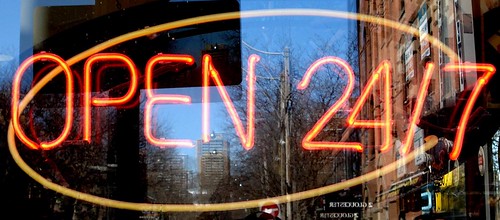
24/7 begins!


The libraries are now open 24/7- enjoy! 

Check here for when staff are available: http://www.westminster.ac.uk/library-and-it/our-libraries

Photo credit: mag3737 on Flickr